Twenty Macs, invited in small groups
See it before anyone can buy it.
AmpleCapacity finds the files on your Mac that your own tools can make again: build caches, container disks, model weights. It explains every one of them in plain words, and moves nothing you have not agreed to. Before it goes on sale, we want it on machines that are not ours.
A free key for the whole test. Nothing is ever deleted: everything moves to a vault you can undo. No account, no telemetry, signed and notarised by Apple.
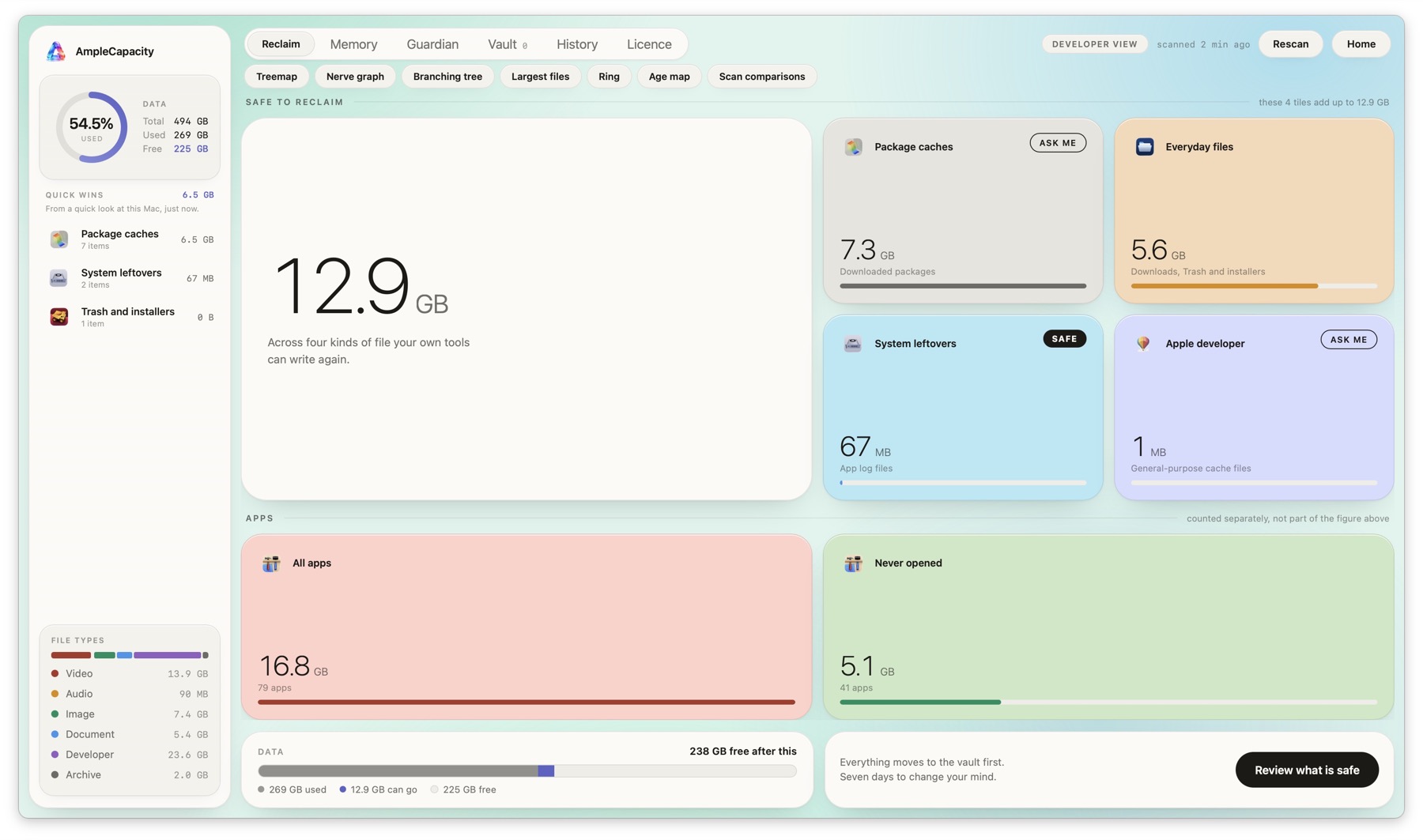
A real scan, on a real Mac. Nothing here is a mock-up.
The arrangement
It is a short one. You get the whole app for nothing while the test runs; we get the one answer we cannot get on our own machines.
A build nobody else has
Signed and notarised, with a licence key that unlocks every screen. Free for the whole test. The app tells you on its first screen when the build ends, and newer builds reach you by email before then.
Your results are yours
The scan reads and nothing else. Anything you choose to clear goes to a vault and can be put back. The app makes no network calls while you use it.
What we ask in return
A screenshot of your results screen, and one honest answer: did it offer anything it should have left alone? That single answer is worth more to us than every other kind of feedback put together.
When the test ends
Test keys stop working when the paid version ships, so nobody is left on a build we no longer watch. People who tested get a proper key then.
You sign up
That puts you on the list. Nothing is sent yet.
We invite a group
About twenty at a time, each with their own key.
You scan
Open it, let macOS ask for access, paste your key.
You tell us
One screenshot and one honest answer, to beta.feedback@amplecapacity.com.
Where to write
Everything about the test goes to one address: beta.feedback@amplecapacity.com.
Bugs, surprises, a file it offered that it should not have, or a question before you start — all of it. A person reads that address.